
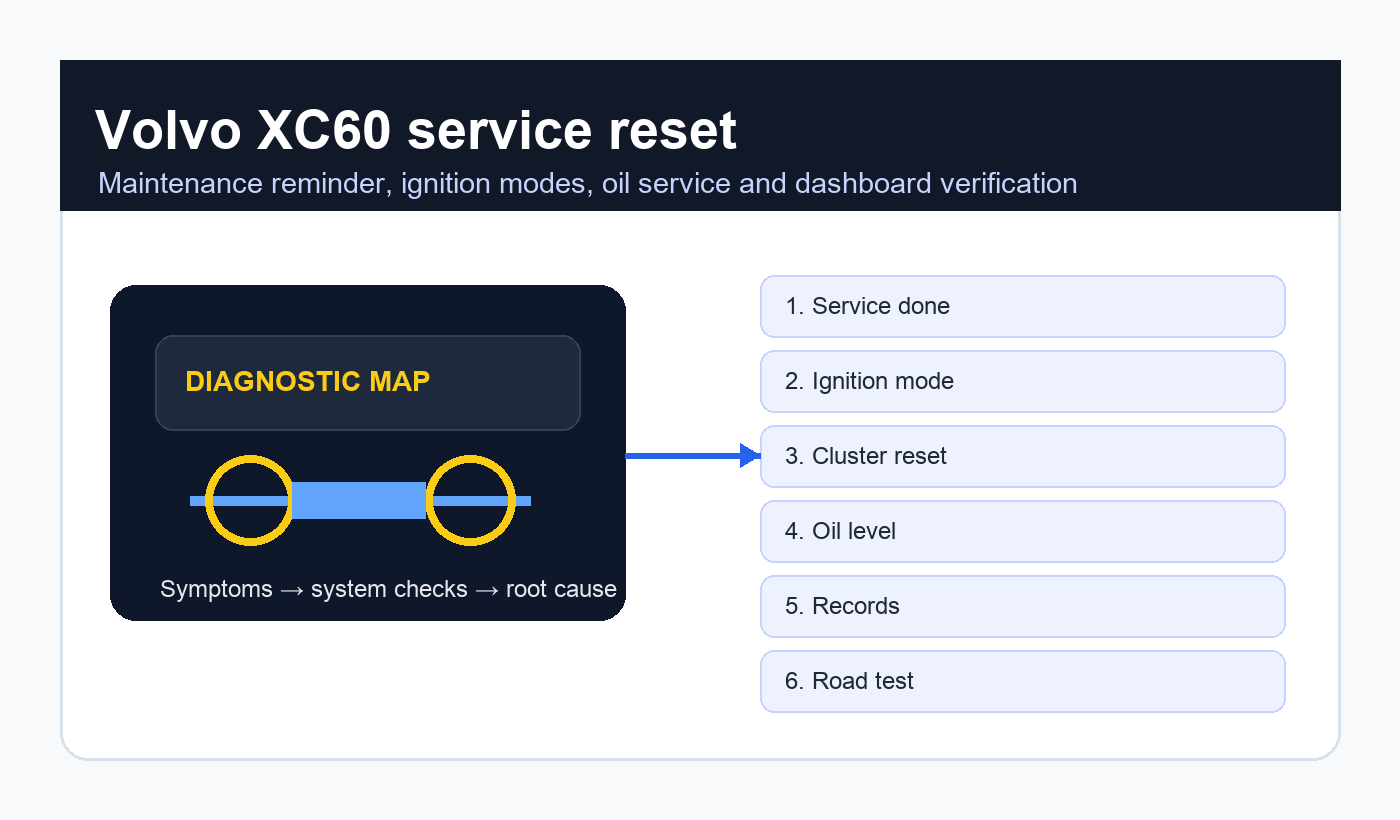
Volvo XC60 service reset: how to clear the maintenance reminder after a real service
Volvo XC60 service reset is a common search after an oil change, inspection or scheduled maintenance visit when the dashboard still displays a service reminder. The reset is useful, but it is not the service itself. It should be performed only after the correct maintenance has been completed, the oil level and leaks have been checked, and the service history has been recorded.

This guide explains Volvo XC60 service reset across modern XC60 ownership situations: oil service, inspection reminder, instrument-cluster messages, trip-button or steering-button procedures, ignition modes, start/stop button behavior, 12-volt battery issues, service history, VIDA-style diagnostics, used-car checks and the difference between a maintenance reminder and a real warning light.
Quick answer
The quick Volvo XC60 service reset answer is that the exact reset method depends on model year and cluster type. Many Volvo procedures require ignition mode I or II, a trip/OK button sequence, and waiting for the information lamp or message behavior before releasing the button. Newer cars may use menu-based service reset or require workshop-level diagnostics. Always confirm the exact owner manual procedure for the year.
What owners need to know first
This guide is written for owners, buyers and technicians dealing with Volvo XC60 service reset in the real world. It focuses on symptoms, checks, realistic repair decisions, legal limits where relevant, and the points worth confirming before buying parts or trusting a seller’s claim.
| Reader need | Related topics | Best answer |
|---|---|---|
| Reset message | service required, maintenance reset | Use the model-year procedure after service. |
| 2022 models | Volvo XC60 2022 reset, Google built-in | Check menu and official manual for newer cluster logic. |
| Oil service | oil change reset, oil life | Reset only after oil/filter service is complete. |
| Persistent reminder | message not clearing, reset failed | Check ignition mode, battery voltage and diagnostic status. |
| Used buying | service history, digital record | Verify invoices, not only a cleared display. |
Use official Volvo owner information
A safe Volvo XC60 service reset starts with the correct year and market. Volvo provides official support and owner information through Volvo Cars XC60 support. For roadworthiness context around warning lamps, leaks and vehicle inspection, the GOV.UK MOT inspection manual is a useful high-authority reference.
Do not rely on a single video without checking the year. An early XC60, a SPA-platform XC60 and a newer Google built-in model can behave differently even when the dashboard wording sounds similar.
What the service reminder means
The message behind Volvo XC60 service reset is normally a maintenance reminder. It may say time for regular maintenance, book time for maintenance, maintenance overdue or service required depending on year and market. It usually reflects time, mileage or service interval logic.
That is different from a red oil pressure warning, coolant temperature warning, brake warning or check engine light. A service reminder can be reset after maintenance. A fault warning needs diagnosis.
| Message type | Likely meaning | Driver action |
|---|---|---|
| Time for regular maintenance | Scheduled service due | Complete service, then reset. |
| Maintenance overdue | Service interval exceeded | Book service promptly. |
| Low oil level | Oil quantity concern | Check level using correct method. |
| Oil pressure warning | Possible lubrication danger | Stop safely and investigate. |
| Check engine | Engine or emissions fault | Read diagnostic codes. |
Before resetting the message
Before Volvo XC60 service reset, confirm the real work is done. Oil and filter should be changed if due, cabin filter and air filter inspected or replaced as scheduled, brakes checked, tyres inspected, fluids checked, software or recalls considered, and any stored warnings reviewed.
A reset without maintenance is a false record. It may make the dashboard look tidy while the vehicle still needs oil, filters or inspection.
Common button-sequence logic
Many older Volvo XC60 service reset procedures involve a trip button or OK button, the start button and a specific ignition mode. The usual pattern is to hold a button, switch the ignition to the required mode without starting, wait for an indicator or message change, release at the correct moment and then confirm the reminder is gone.
The exact timing matters. Releasing too early, starting the engine instead of entering ignition mode, using the wrong trip display or holding the wrong steering-wheel control can make the reset fail.
Newer menu and diagnostic resets
Newer Volvo XC60 service reset cases may be handled through menus or diagnostic equipment rather than the older button sequence. Digital clusters, Sensus systems and Google built-in cars can change the owner-facing workflow. Workshops may use Volvo-capable diagnostic tools when the cluster method is not available.
If the car is under warranty or has a digital service record, the workshop should update records as well as clear the message. The display reset alone is not the whole service history.
Service interval logic and driving style
Volvo maintenance reminders are meant to keep the vehicle aligned with scheduled care, but real use still matters. Short trips, cold starts, urban congestion, towing, dusty roads and long idle periods can be harder on oil and filters than relaxed motorway driving. A reminder is a guide; it is not a substitute for judgement when the vehicle works in severe conditions.
Owners who drive very little should pay attention to time-based intervals. Oil can age, moisture can accumulate, brake components can corrode and tyres can deteriorate even when mileage is low. A car that covers only a few thousand miles per year still needs scheduled inspection.
High-mileage drivers should think about trend data. If oil level drops between services, coolant needs topping up, brakes wear unevenly or warning messages appear more often, the maintenance visit should include diagnosis rather than only routine replacement parts. Resetting the reminder does not erase mechanical wear.
| Reset method | Best for | Common problem |
|---|---|---|
| Trip/OK button sequence | Older clusters | Wrong ignition mode or timing. |
| Instrument menu | Digital cluster vehicles | Oil/service page not selected. |
| Diagnostic tool | Workshop reset or persistent message | Tool lacks Volvo service function. |
| Dealer system | Digital records and warranty service | Records not updated elsewhere. |
| No reset | Before service is completed | Reminder remains active. |
Ignition mode matters
A major Volvo XC60 service reset detail is ignition mode. On push-button vehicles, pressing the start button with or without the brake pedal can produce different states. Many reset procedures require the electronics awake without the engine running. If the engine starts, the sequence may not register.
Make sure the key is present, the battery is healthy, the driver door state is not interrupting the procedure and the vehicle is in Park. Small details matter in service reset workflows.
Why the reset fails
Failed Volvo XC60 service reset attempts usually come from model-year mismatch, weak 12-volt battery, wrong button, wrong trip screen, wrong ignition mode, poor timing, or a message that is not actually a service reminder. The car may also need the service function reset with a scan tool.
If the message returns immediately after a successful-looking reset, scan the car before repeating the procedure. There may be an active maintenance or fault condition.
Battery voltage and electronic behavior
A weak 12-volt battery can complicate Volvo XC60 service reset. Volvo vehicles rely on stable voltage for modules, cluster behavior and start authorization. Low voltage can create warning messages, interrupted procedures and strange communication faults.
If the vehicle has been parked for a long time, used for short trips or recently jump-started, test the battery before assuming the reset method is wrong.
Common mistakes owners make
The first mistake is clearing the reminder before doing the service. The second is using the wrong year’s online procedure. The third is starting the engine when the instructions require ignition mode only. The fourth is assuming a cleared service message means there are no faults stored in the car.
Another common mistake is forgetting the service evidence. A buyer, warranty provider or future technician cannot verify a dashboard reset by itself. Keep invoices, oil specification, filter part numbers and any inspection notes. If a workshop updates a digital record, ask for confirmation.
Finally, avoid treating every dashboard message as the same thing. A maintenance reminder, low oil level message, check engine light, brake warning and battery warning all need different responses. One can be cleared after service; another may require immediate diagnosis.
Oil level and oil quality
Oil service is the most common context for Volvo XC60 service reset, but the reset does not confirm oil quality. Use the correct specification, correct quantity and correct filter. Check for leaks after the engine has run. If the model uses electronic oil level measurement, follow the display procedure properly.
Overfilling and underfilling both matter. A clean reset does not protect the engine from incorrect oil level.
Used XC60 buying checks
A used buyer researching Volvo XC60 service reset should understand that a cleared dashboard does not prove maintenance. Ask for invoices, digital service records, mileage evidence, oil specification, workshop name and date. A reset can be done in minutes; proper maintenance leaves a paper trail.
Look for mismatched records, overdue intervals, oil leaks, multiple warning messages, recently cleared codes and sellers who cannot explain when the service was performed.
| Buying check | Good sign | Warning sign |
|---|---|---|
| Service record | Digital or paper invoice | No proof beyond cleared message. |
| Oil evidence | Correct spec recorded | Unknown oil or interval. |
| Dashboard | No warnings after drive | Reminder returns after restart. |
| Scan report | No relevant stored faults | Recently cleared codes. |
| Engine bay | Dry filter and filler area | Fresh oil residue or leaks. |
Internal guides for related reset work
For another European oil reset workflow, our BMW X3 E83 oil reset guide explains why service proof matters more than a cleared reminder.
For a simpler maintenance-light comparison, our Volkswagen Golf 5 service reset article shows how dashboard procedures vary by generation and cluster.
For a modern SUV oil reminder example, our Jeep Compass oil change warning reset guide covers the same service-first logic in a different brand.
Workshop documentation
Every Volvo XC60 service reset job should end with a record. Note date, mileage, oil grade, filter, inspections performed, any advisories, reset method and final dashboard status. If the car has digital service history, make sure it is updated where appropriate.
Documentation protects warranty value, resale value and future diagnosis. A technician who sees the record can understand what was actually done.
Road test after reset
After Volvo XC60 service reset, restart the vehicle, check that the message is gone, road test briefly, park on level ground, inspect for leaks and confirm no new warnings appear. This is especially important after oil and filter replacement.
If the service message clears but another warning remains, do not treat the job as finished. Different messages have different causes.
Diagnostic path when the reminder returns
If the reminder returns after a correct reset, begin with the simple items: confirm the procedure, check the date and mileage in the service menu, verify battery voltage and make sure the message is truly the same one. Sometimes owners mistake a separate maintenance advisory or fault message for the original service reminder.
If the same message returns immediately, scan the vehicle with a Volvo-capable diagnostic tool. Read the central electronic module, instrument cluster and powertrain modules where relevant. Save the report before clearing anything. A diagnostic printout can reveal whether the issue is a cluster reset problem, communication event, low-voltage history or separate service function.
If the message returns after days or weeks, review the service record and actual vehicle condition. Was the oil level set correctly? Was the correct oil used? Were other scheduled items skipped? Did the car have a battery disconnection or software update? The time gap is a clue.
| Return pattern | Possible explanation | Best next step |
|---|---|---|
| Immediately after reset | Procedure failed or wrong message | Repeat once carefully, then scan. |
| After restart | Cluster or module did not store reset | Check battery voltage and diagnostics. |
| After several days | Separate service or fault condition | Review records and read codes. |
| With other warnings | Voltage, module or system fault | Do not treat as simple reminder. |
| After workshop visit | Reset or digital record missed | Return with invoice and ask for correction. |
Owner checklist before closing the job
A good final checklist is boring because it leaves little to chance. Confirm the oil cap is secure, dipstick or electronic level reading is correct, undertray fasteners are refitted, no oil smell is present after the road test, and no fresh drips appear under the vehicle. Check tyre pressures and brake fluid if they were part of the scheduled service.
Inside the car, confirm the reminder is gone, the clock and settings are stable, no new warning lights are present and the service record is complete. Take a photo of the final dashboard if maintaining a personal file. That small habit can be useful years later when selling the vehicle.
If a workshop performed the service, the customer should leave with an invoice that describes what was done rather than a vague “service” line. Oil grade, quantity, filter, inspection notes and advisories all make the record more valuable. This is especially important for premium vehicles where buyers care about maintenance continuity.
Real-world scenarios
A home owner doing Volvo XC60 service reset after an oil change should keep the receipt for oil and filter. If the car is sold later, that evidence matters.
A workshop doing Volvo XC60 service reset should show the customer the cleared message and provide a written service invoice. That avoids confusion when the vehicle is collected.
A driver attempting Volvo XC60 service reset on a 2022 model should be especially careful about model-year instructions. Newer clusters can differ from older videos.
A buyer seeing Volvo XC60 service reset mentioned in an advert should ask whether the service was performed or only the reminder was reset.
A technician repeating Volvo XC60 service reset several times without success should stop and scan the vehicle. Repetition is not diagnosis.
A low-mileage owner using Volvo XC60 service reset should remember that time-based service still matters. Oil ages even when mileage is low.
A high-mileage driver doing Volvo XC60 service reset should inspect for leaks and oil consumption before assuming the car only needed a reminder reset.
A fleet manager handling Volvo XC60 service reset should standardize records across vehicles so drivers cannot accidentally skip scheduled service.
An owner doing Volvo XC60 service reset after a dealer visit should check the invoice and the dashboard before leaving. If the reminder is still active, it is easier to fix immediately than days later.
A careful DIY driver treats Volvo XC60 service reset as a final audit: oil level correct, no leaks, no unrelated warnings and service evidence stored with the vehicle records.
Frequently asked questions
Can I reset the Volvo service light myself?
Volvo XC60 service reset can often be done by an owner if the model-year procedure is available, but newer cars may require menus or diagnostic tools.
Is the service reminder the same as an oil pressure warning?
No. A service reminder is scheduled maintenance. An oil pressure warning can mean immediate engine risk and should not be reset away.
Why will the message not clear?
The cause may be wrong ignition mode, weak battery, wrong button sequence, newer cluster logic or a message that is not actually a service reminder.
Should I reset it before selling the car?
Only after real service. A cleared display without records can make a buyer trust the car less, not more.
Does Volvo digital service history matter?
Yes. For many buyers, a digital or dealer-supported record is stronger evidence than a reset dashboard message.
Can a weak battery cause service reset problems?
Yes. Low voltage can interrupt modules and cluster behavior, especially during ignition-mode procedures.
Final verdict
Volvo XC60 service reset is best treated as the final confirmation step after real maintenance. The right sequence is service, inspect, document, reset, restart and verify.
A clean Volvo XC60 service reset result means the dashboard now matches the maintenance record. If the reminder returns or another warning remains, diagnose the car rather than clearing the display again.